SaveVo video quality, frame rate and codec settings on Windows
Understand SaveVo's Windows quality menu, resolution ceilings, frame-rate preferences and codecs. Choose settings that fit your source and player.
Choose a file by its container, the codecs inside it, and the player that will open it. MP4 and WebM can hold video; M4A is commonly used for audio in an MPEG-4 container. An MP3 source download is different from converting another audio format to MP3.
SaveVo selects or processes the formats a source supplies. In the verified Android YouTube workflow, Audio offered M4A and WebM streams. That workflow does not provide a YouTube-to-MP3 converter.
A container packages streams and metadata. A codec describes how a video or audio stream is encoded. The MDN media container reference explains common combinations and why playback depends on more than the filename.
| Label | What to inspect | SaveVo evidence |
|---|---|---|
| MP4 | Video codec, audio codec, resolution and frame rate | Tested Android sample contains H.264 video and AAC audio |
| WebM | Whether the selected row is video or audio-only, and its codecs | Android Audio sheet exposed WebM choices alongside M4A |
| M4A | Audio codec and bitrate; no video is required | Tested Android file contains one AAC-LC stereo stream |
| MP3 | Whether the source supplies MP3 or a conversion has occurred | A SoundCloud source MP3 was downloaded and decoded; Android conversion is not implemented |
| MKV | Video/audio streams and destination player support | A short Windows sample completed as MKV with H.264/AAC |
Do not infer the streams inside a file solely from its extension. A player may accept a container while rejecting a codec, profile or resolution within it.
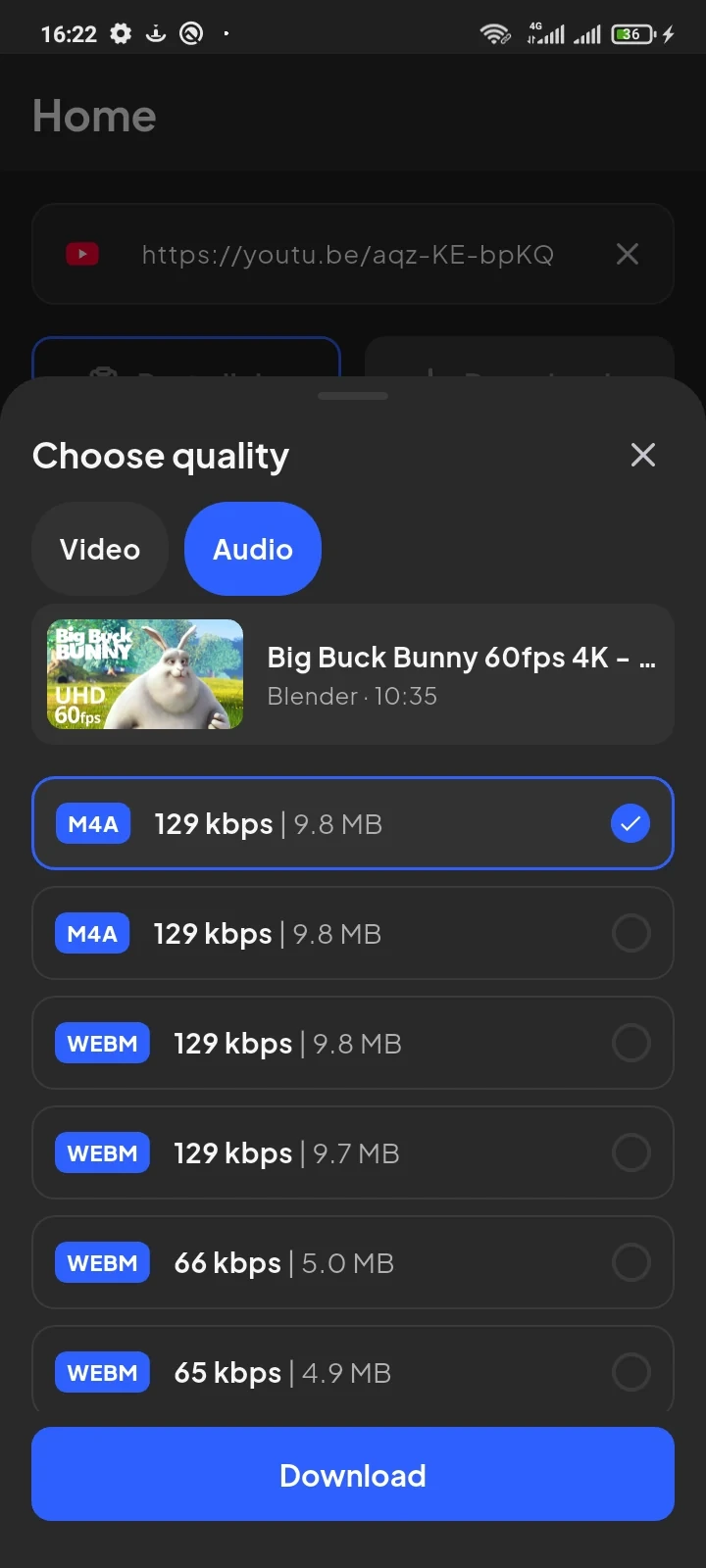
The M4A tutorial documents the complete sample. Its roughly 9.8 MB size belongs to that particular recording and stream.
Use manual review when a specific container or codec matters. With Smart mode enabled, the For menu holds container and device preferences, and Quality holds resolution, frame-rate and codec preferences. Read the Windows guide before combining restrictions.
An MP4 output preference does not prove that any player will accept the finished file. Check a small file on the actual device before saving a large collection.
Downloading transfers media. Merging puts separate video and audio streams together. Remuxing places streams in a different container without necessarily changing their encoding. Transcoding re-encodes a stream and may change quality or size.
SaveVo's Android reports verify native merging and remuxing for sources that provide separate video and audio. They do not establish arbitrary audio conversion. SoundCloud's tested MP3 arrived as a source format; selecting it was not an M4A-to-MP3 operation.
Renaming recording.m4a to recording.mp3 changes its name, not its audio encoding. Keep the genuine extension so applications have useful information about the file.
Avoid choosing a higher bitrate simply because the number is larger. Duration, source quality and encoding all matter. A higher-quality selection cannot restore detail the source never supplied.
If a file opens in SaveVo but not elsewhere, check the other player's supported containers and codecs. If audio is absent, check whether an audio stream exists before trying another extension. If the selected format is unavailable, inspect the actual source choices instead of relying on a general toolbar menu.
The inspected Android native bridge does not implement audio conversion. Use an available source audio format, such as the tested M4A path. Do not expect an MP3 button from that tutorial.
No. The tested M4A contains AAC-LC, a lossy codec. The container name does not establish lossless encoding.
No. The Android Audio tab also exposes audio-only WebM choices. Check the selected stream type.
There is no single guarantee. Choose an available format and verify it on the destination player. Keep a small successful example before building a larger offline library.
Sample artwork: © Blender Foundation / www.bigbuckbunny.org, CC BY 3.0.