Download and check a video with SaveVo on Windows
Use SaveVo's Windows Paste Link and manual review controls, choose a source format and output folder, then check the completed local file.
Android 1.0.3 is a profile preview APK. Windows 1.1.0 x64 is an unsigned review installer. Download buttons become active when verified files are hosted.
Start at the SaveVo download section, check the build label, and use the link for your device when it is available. The supplied Android file is a preview APK, and the Windows file is an unsigned review installer. These labels describe the actual files currently prepared for review.
If you are still evaluating your workflow, use the downloader testing checklist to decide which source, format and playback checks matter to you.
The website displays the version and size from the verified release record. Its SHA-256 checksum list provides the expected hashes for the supplied files. If the button says Download coming soon, hosting has not been configured; this article does not provide an alternative download mirror.
| Supplied build | File | What the label means |
|---|---|---|
| Android 1.0.3 | SaveVo-1.0.3-android-preview.apk | Installable profile preview; a signed production release has not been supplied |
| Windows 1.1.0 x64 | SaveVo-1.1.0-windows-x64-Setup.exe | Unsigned installer prepared for review |
A checksum comparison checks whether your file matches the recorded bytes. It does not establish who signed the file or replace the build labels.
The real Home capture below shows the installed Android application. The earlier guide tests used version 1.0.2 on Android 10; the prepared preview is 1.0.3. That test history does not establish compatibility with every phone or Android version.
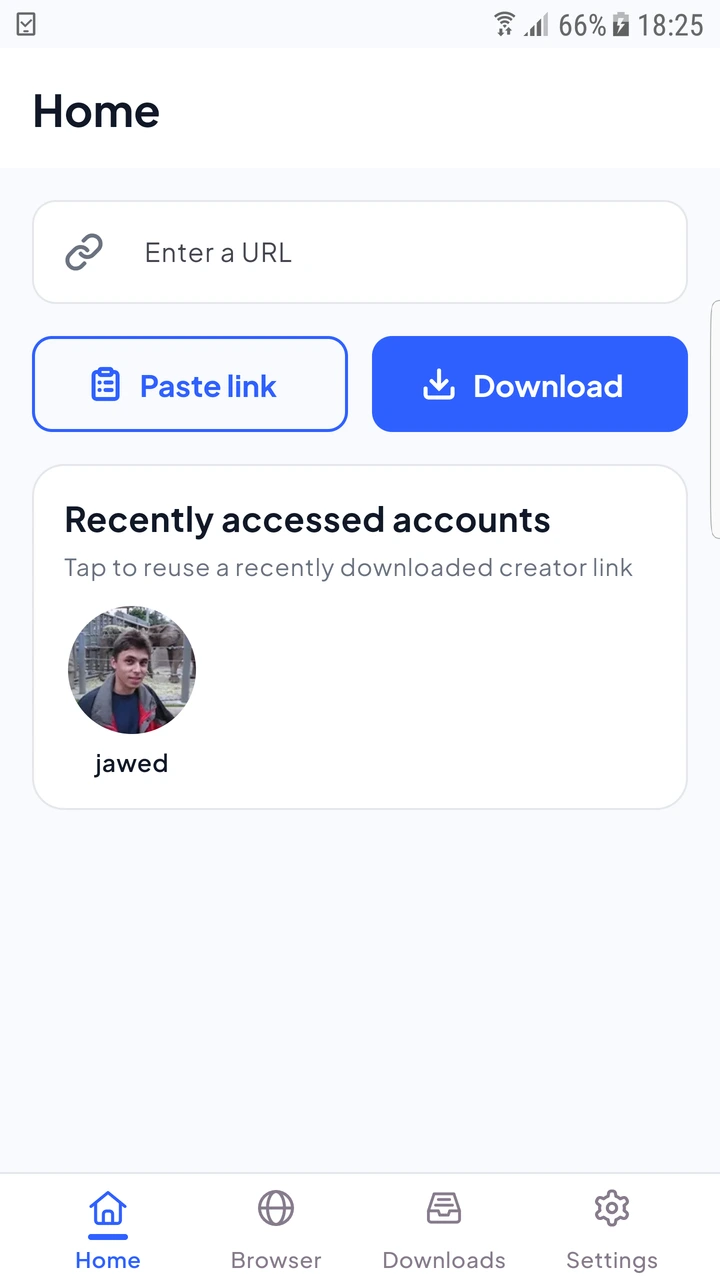
For a first exercise, use the Android video guide with a short source you have permission to save. Check storage and the mobile-data preference before starting a large transfer.
SaveVo's built-in Windows browser uses WebView2. If that panel cannot open, check the WebView2 Runtime on your Windows installation before treating the download manager as broken.
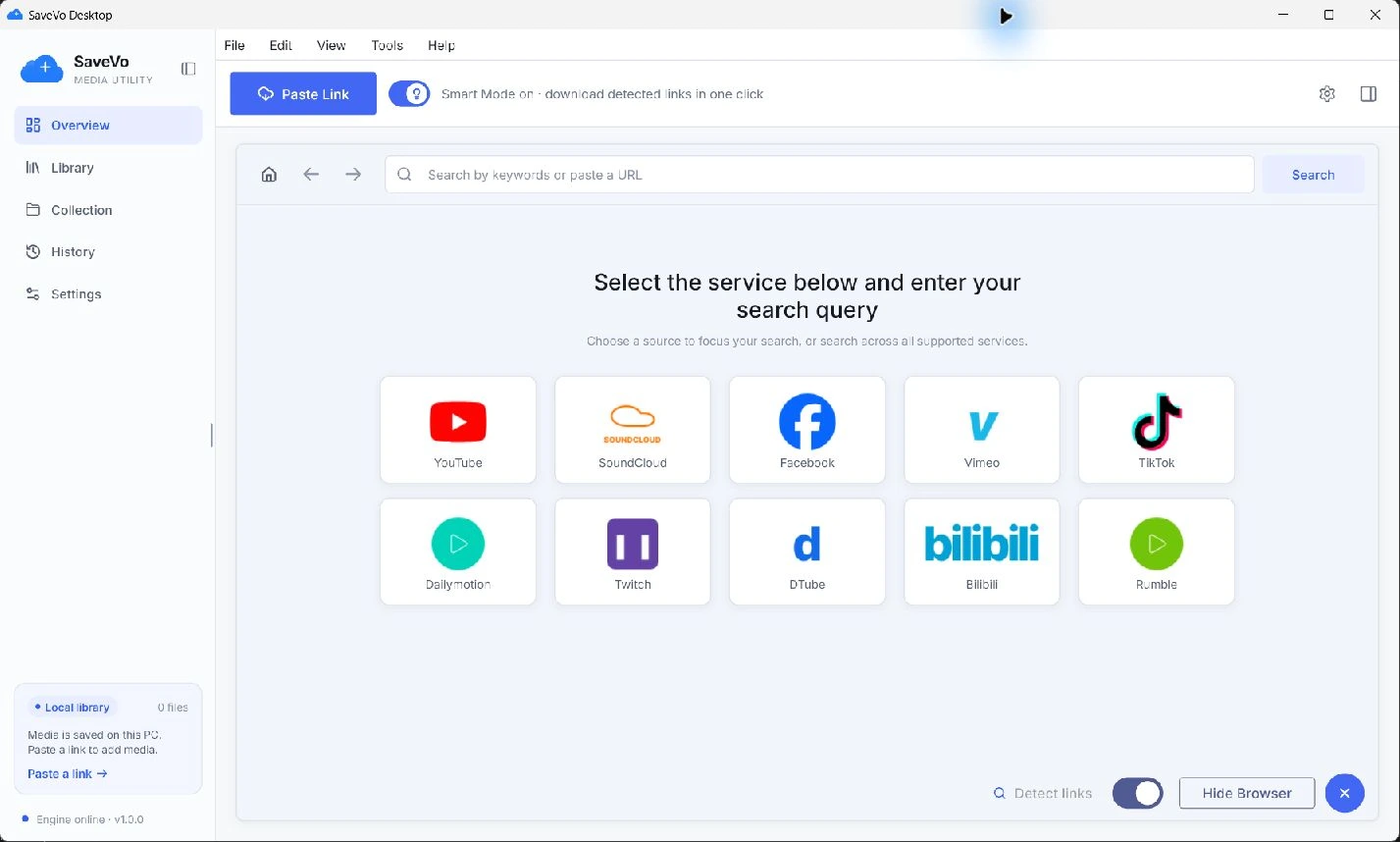
Continue with the Windows download guide, which explains when to review a source manually.
Choose a short, accessible source and verify its permissions. Confirm the destination folder, allow enough free space, and wait for a completed file before judging playback. A source shortcut in the browser is a navigation aid; it does not prove every page on that service can be downloaded.
The supplied 1.0.3 file was built in profile mode. A production release package is still a separate release step. The preview label remains visible wherever the file is offered.
The supplied 1.1.0 review installer is unsigned. Its checksum and size are recorded, but the site does not describe it as signed.
Keep the existing application and data while checking the failure. A conflicting package signature or an incompatible build needs diagnosis; deleting the installation may also remove information you wanted to preserve.
The supplied files are an Android APK and a Windows x64 installer. They do not install on iPhone or macOS.