Fix an unavailable video or failed source analysis in SaveVo
Diagnose removed links, unsupported routes, HTTP 403 and protected media in SaveVo. Separate source access failures from Wi-Fi waits and file problems.
The Windows image was captured from the running application on 8 October 2026. A browser shortcut or visible player does not guarantee that the source exposes a downloadable file.
Use SaveVo's browser to reach the original page, then let the downloader analyze the individual media URL. Browsing, link detection and downloading are separate operations: a page that plays in a browser may still fail source analysis or transfer.
The Windows implementation uses an embedded WebView2 browser. Android also has in-app browsing and media-link handling, but its controls and source detection differ. When a detected link is unclear, use the known URL through the standard paste-and-analyze workflow.
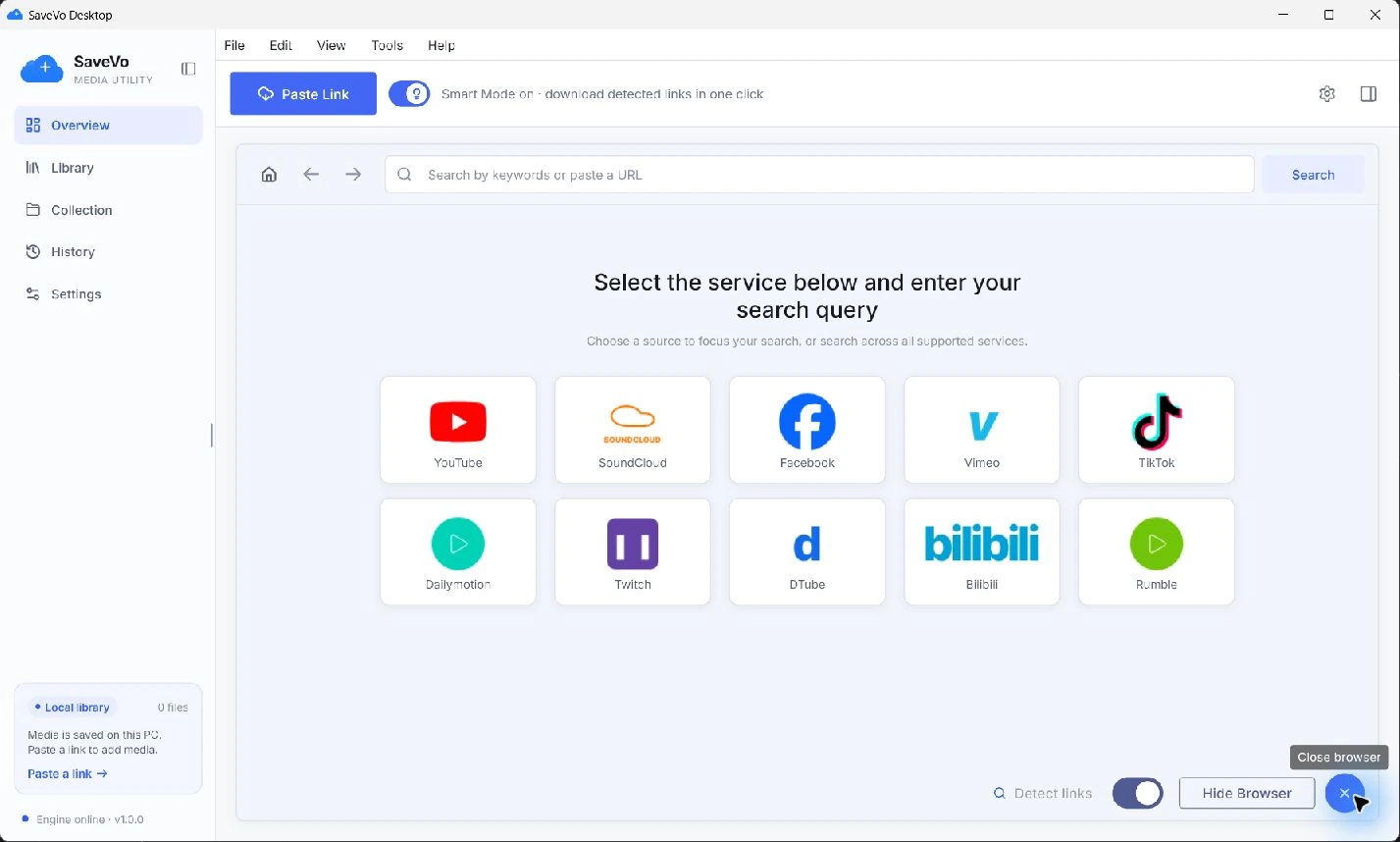
In the tested Windows flow, Smart mode applies saved download preferences; turning it off gives manual review. The desktop guide explains that choice and how to check the completed output.
The Android tutorial's verified route begins in Home. Paste or enter the individual URL, tap Download, and review the source-specific choice sheet. If you found the video in a browser first, make sure the copied link points to that item.
In Choose quality, inspect the title and available Video or Audio rows, select the intended stream, and use the sheet's Download button. The Android YouTube guide has screenshots for those exact steps.
A playlist, an embedded ad and the main video can produce different links. Check what SaveVo identified before selecting it. Do not treat every network request or media element as the content you meant to save.
Detection can identify a supported route or media element. It does not establish permission, credentials, successful extraction, available quality, or completed playback. The meaningful sequence is:
The Windows browser has shortcuts for more services than the dated live-download tests cover. Current Windows source routes include Vimeo and SoundCloud, but these reports do not establish completed public downloads from them on Windows. Android has separate verified download evidence for those services. Platform capability should be checked for the app you are actually using.
If the Windows browser panel cannot open, check the WebView2 Runtime on the host. Microsoft's runtime distribution guidance explains that dependency. If the page opens but SaveVo cannot analyze it, note the original URL and extraction error separately.
If no download action appears, open the actual media page and inspect its address. A home page or an unsupported service route may intentionally have no action. If analysis rejects a private, removed or protected item, use the source-access troubleshooting guide instead of repeatedly scanning the page.
No. The verified public-source workflows do not establish private-source authentication support. A browser session and downloader access require separate evidence.
Online source pages need network access. A completed local file is a separate item and can be opened through the library's playback workflow.
Navigation shortcuts and download capabilities have different coverage. Use the feature evidence for your operating system rather than treating a shortcut as a compatibility guarantee.
The browser shown here belongs to the installed application. The website provides information and installation links; it does not process video URLs.